
UX Case Study: PTAI Redesign
PTAI The aim was to revamp the PTAI application, targeting enhancements in functionality and user experience.
Introduction
The Periodic Table of Acquisition Innovation (PTAI), hosted on GSA’s AcquisitionGateway.gov, is undergoing a modernization effort driven by user feedback. Improving the user experience (UX) goes beyond interface design—it’s about building trust, delivering real value, and meeting users where they are. This case study highlights the redesign of a more intuitive and scalable PTAI landing page that consolidates all features into a single view while showcasing the latest trends in acquisition innovation.
The goal: to preserve the familiar periodic table layout while introducing a smarter search function to help users quickly find what they need.
Through collaborative engagement grounded in shared values, the team built lasting client relationships, delivered a scalable solution, and drove continuous innovation.
Scope:
- Modernization of PTAI user interface
- Improve PTAI search capabilities
- Improve User experience by improving navigation and design
- Redesign the application to support future data growth
- Offer user an option to view the content in periodic table of elements format as an alternative navigation
- Maintain web accessibility while designing
Objective
Differentiating similar sections
Adding clearer headings and titles
Implementing a robust search bar with use case and benefit filtering
Maintaining the Periodic Table format
Creating discussion forums
Allowing feedback submission
Streamlining the feedback process
Connecting with VAO Ally AI and internal feedback systems
Leveraging AI and Machine Learning:
Improving search and document categorization
Autofocusing, highlighting, and categorizing headers/tags for better material suggestions
Making PDFs searchable using tools like Drupal and AWS Textract
Exploring vector search:
Improving information retrieval through vector search capabilities
Enhancing FAR research and template organization:
Improving user experience through better template organization and FAR research refinement.
Process
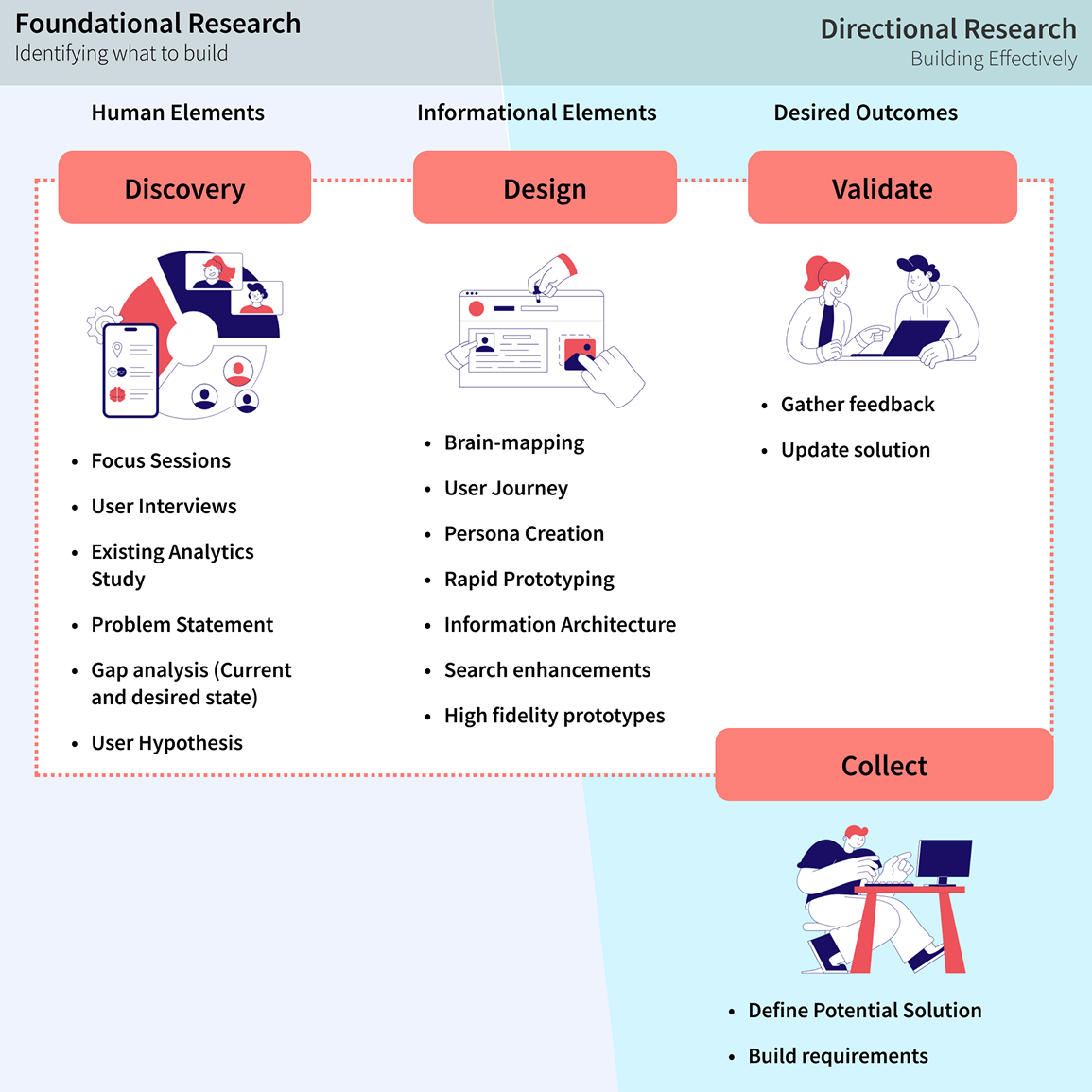
Deliverables
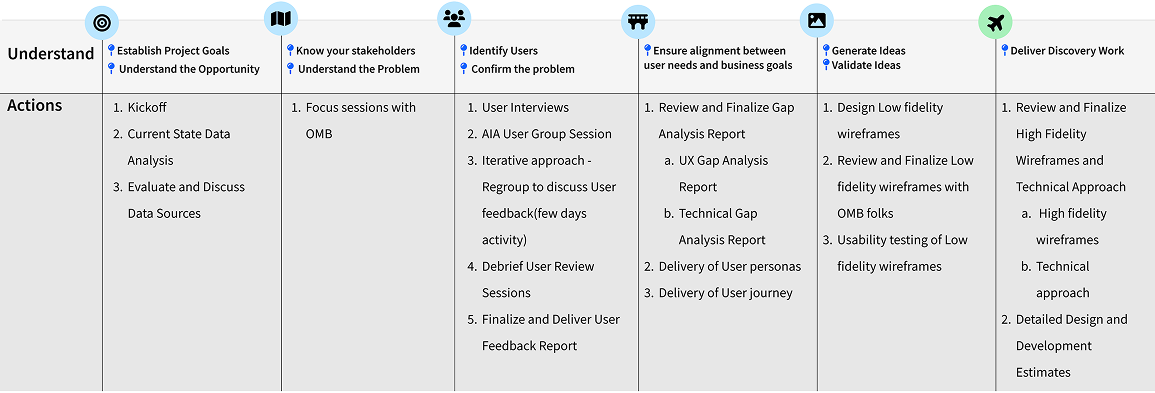
Feedback Report Stakeholder Focus Session
Objective: Establish Project goals and Understand the opportunity

Feedback Report User Interview Sessions
Objective: Confirming the problem and identifying users to create Personas

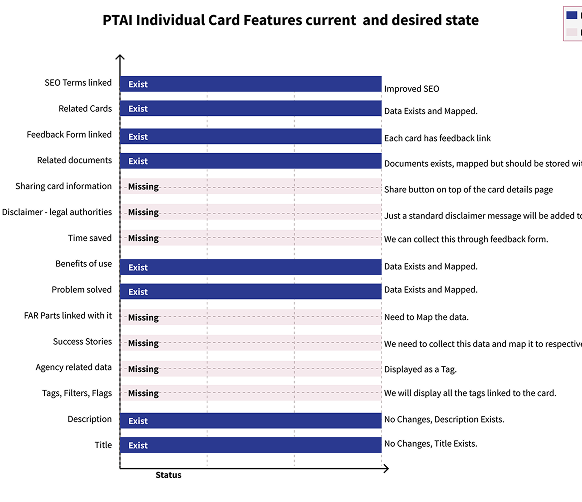
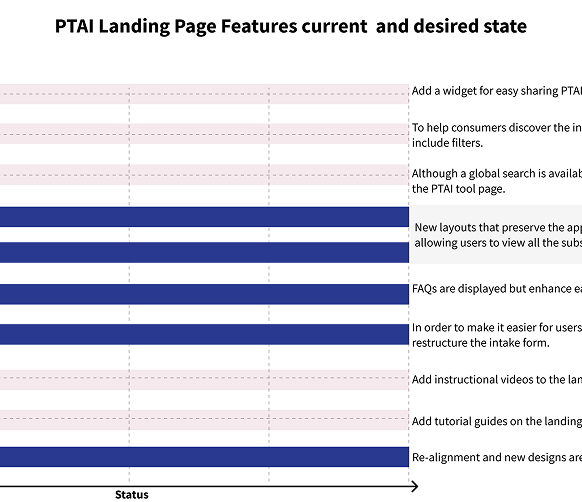
UX Gap Analysis
Objective:
The objective of UX gap analysis is to identify usability issues, compare current experiences with user expectations, and uncover opportunities for improvement to enhance overall user satisfaction.
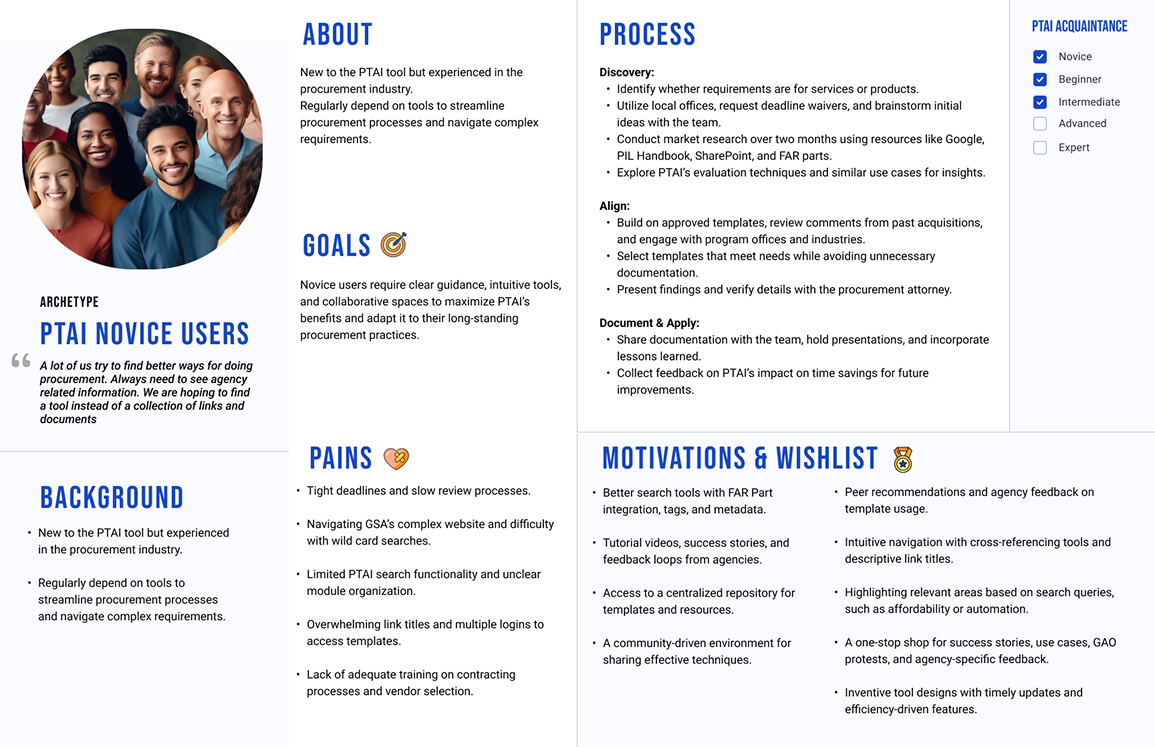
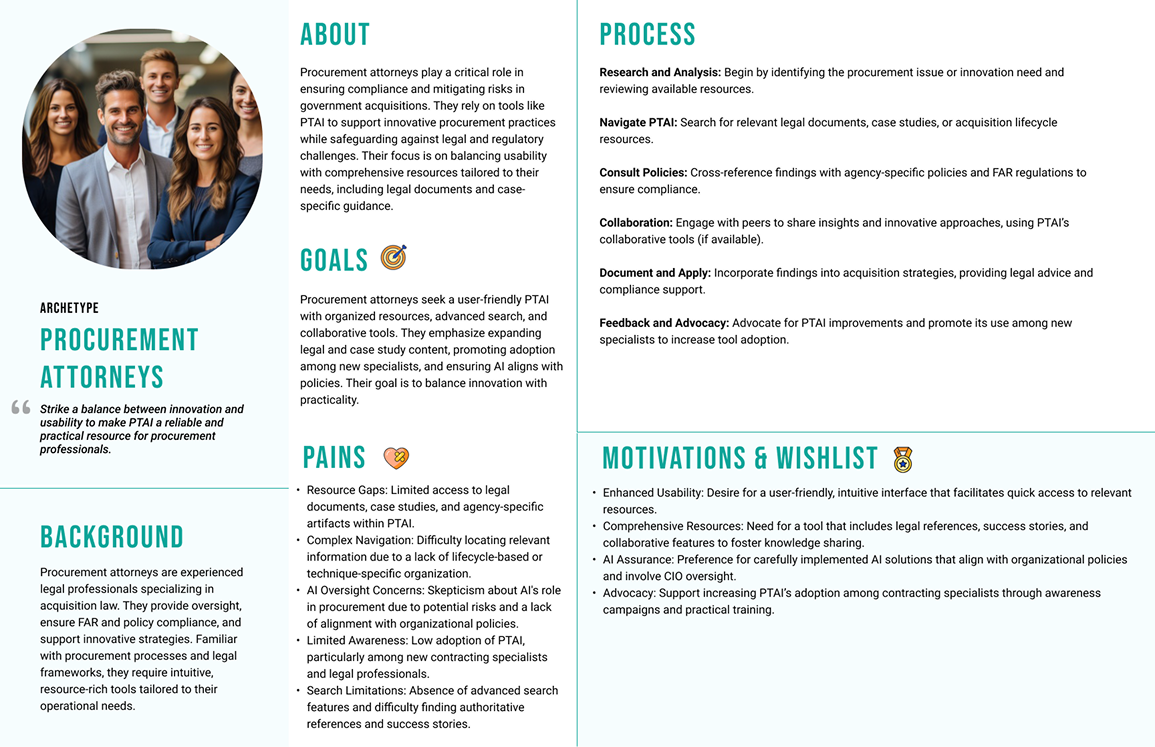
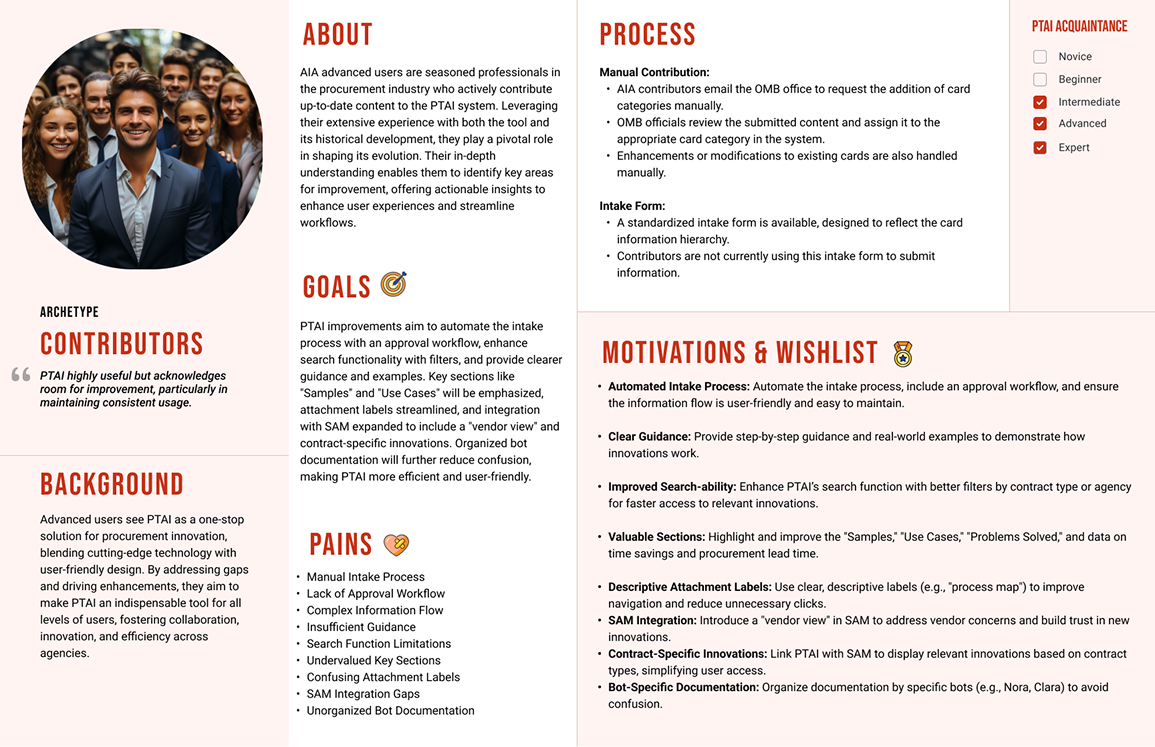
User Persona
Objective: Representative profiles help understand the target audience’s needs, goals, behaviors, and pain points, enabling user-centric design and tailored strategies.
User Journey
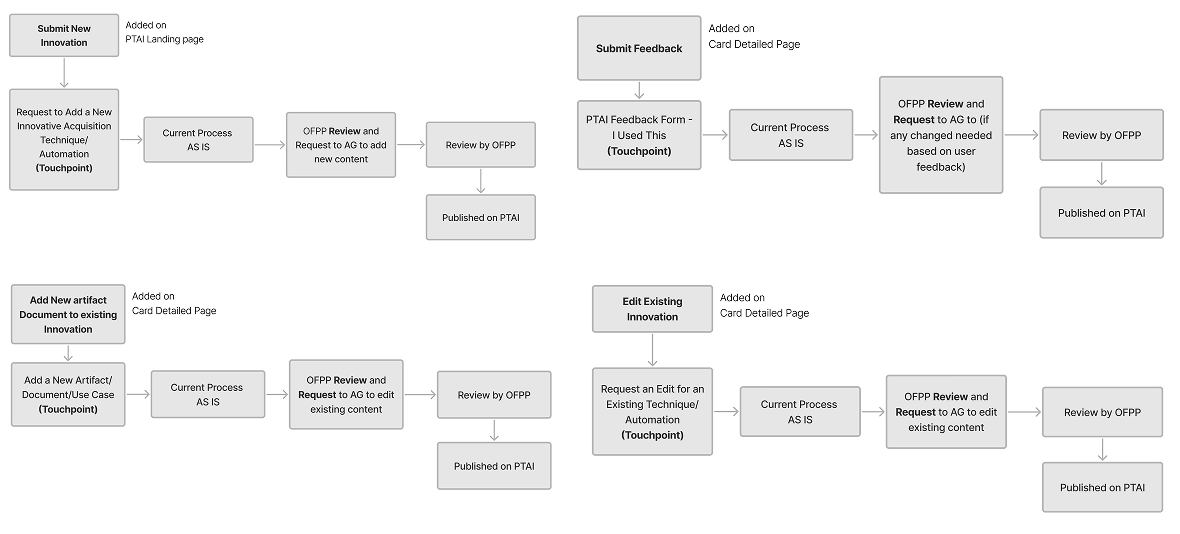
Objective:
Uncover the enhanced workflow for PTAI’s user journey, optimizing both the intake and feedback processes.
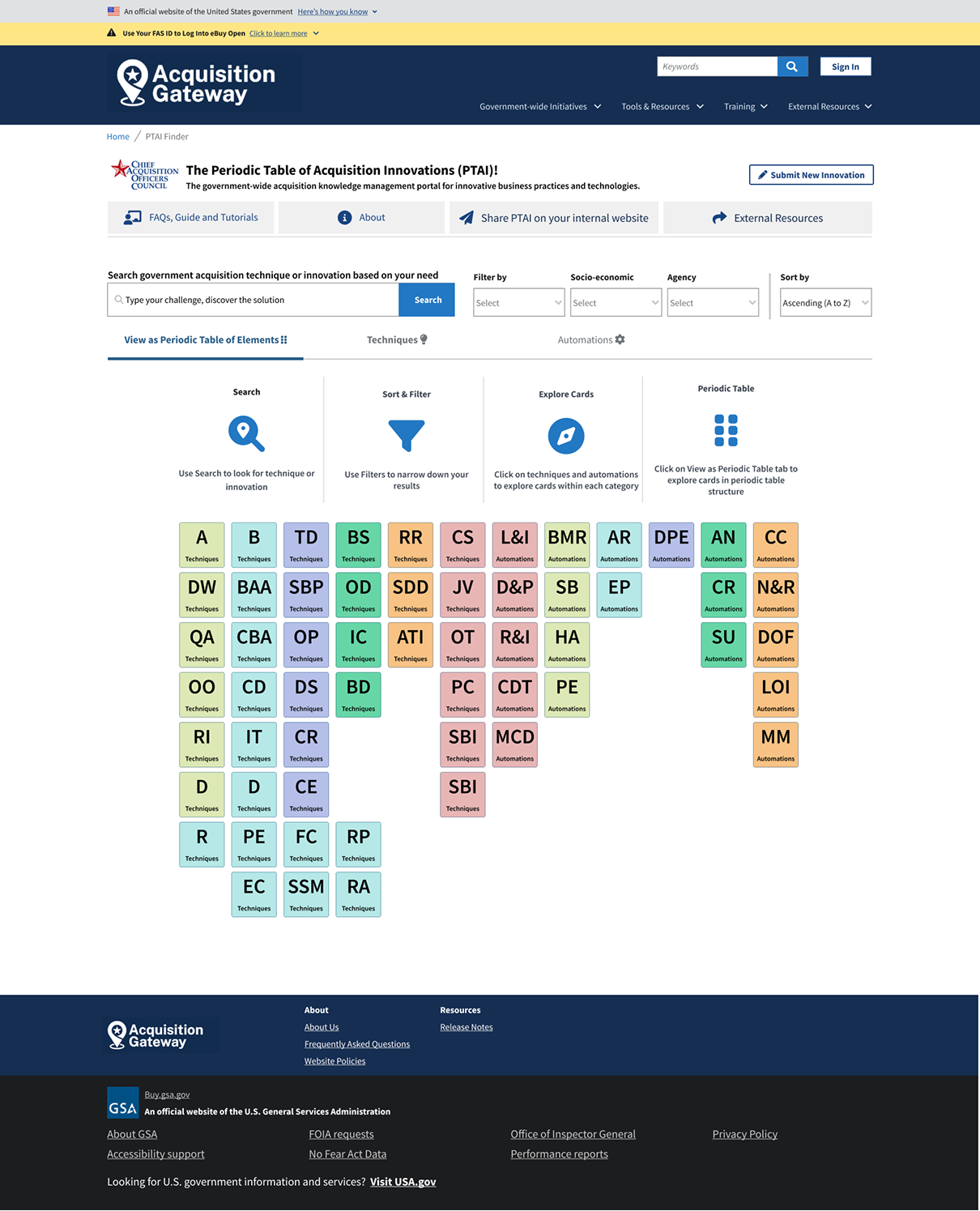
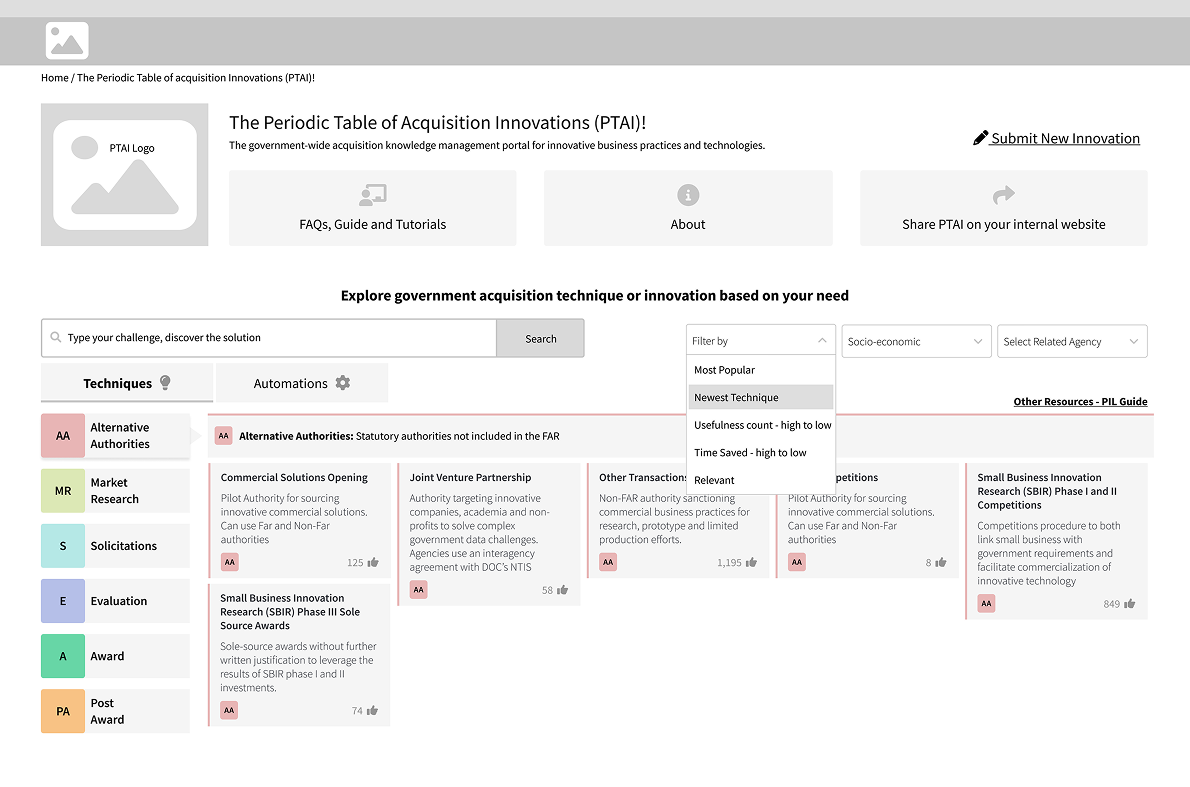
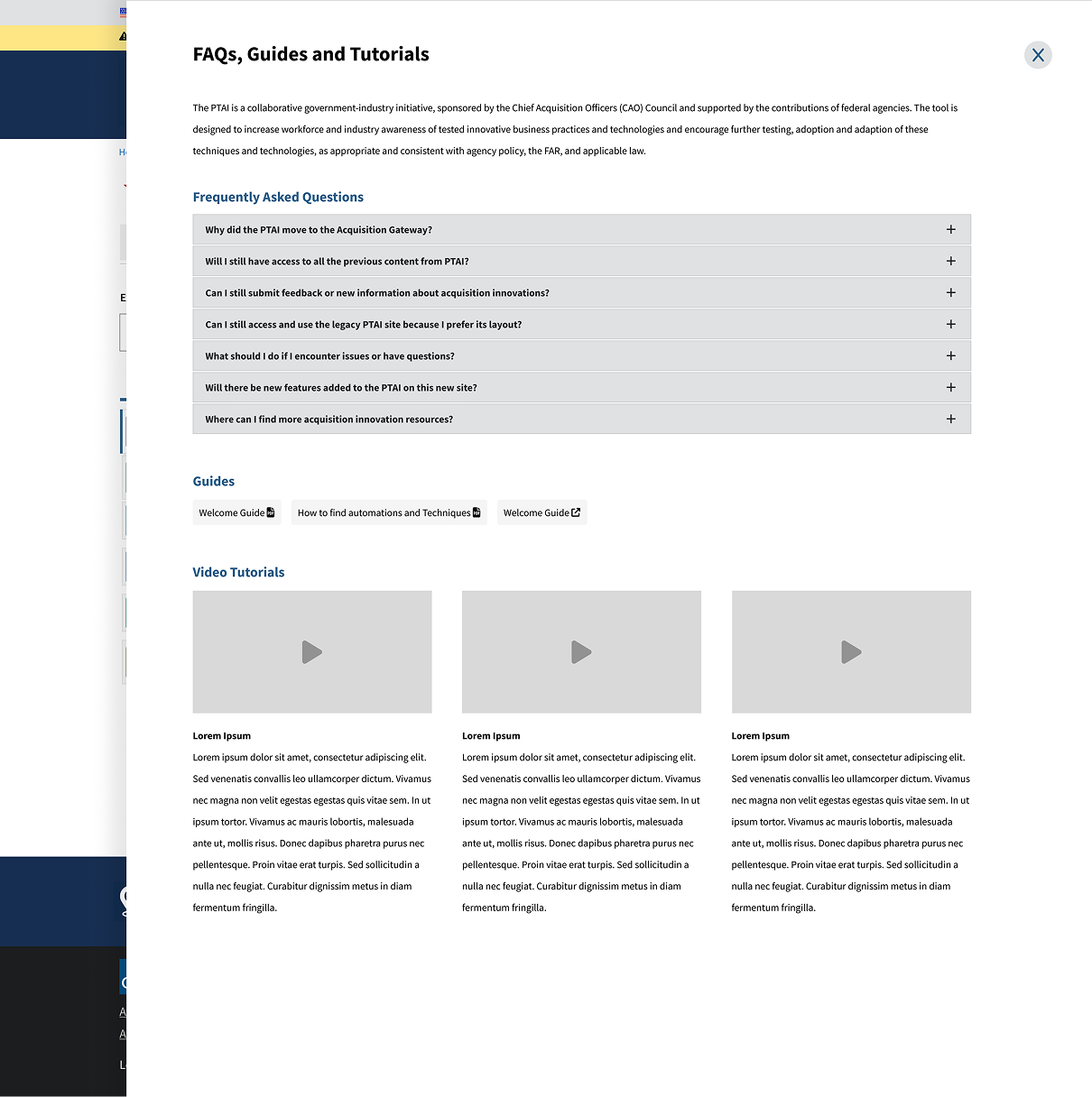
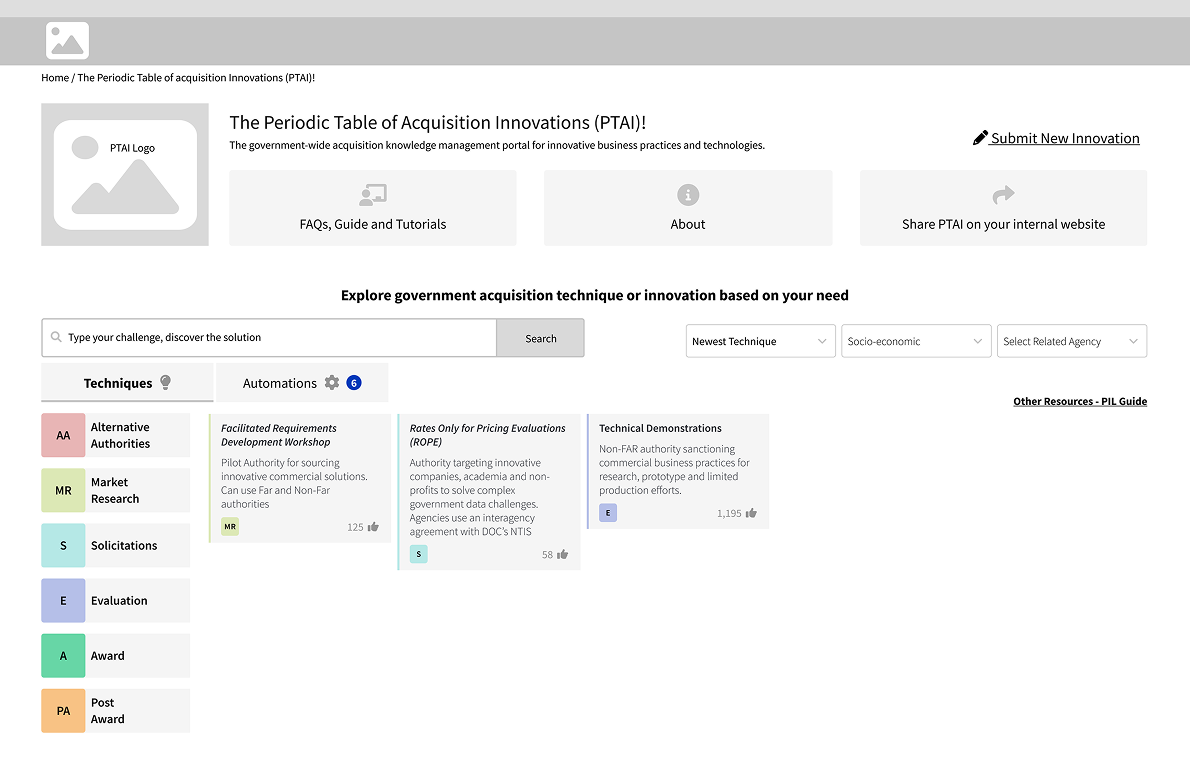
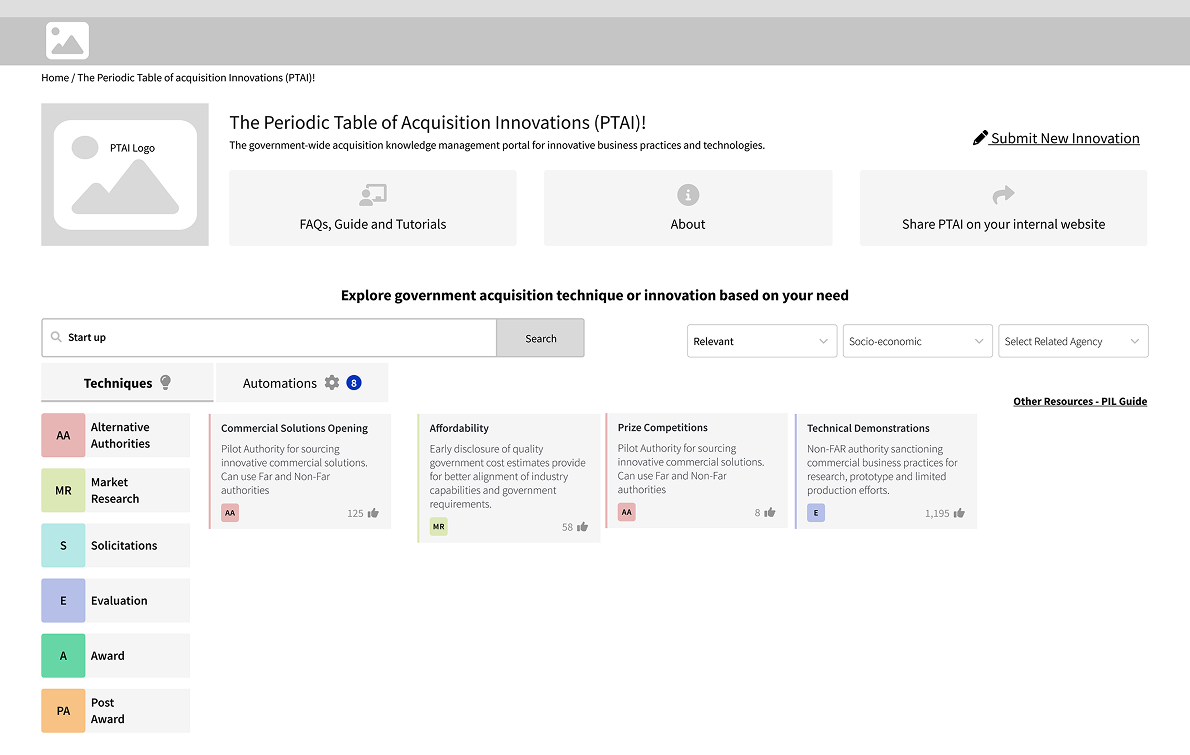
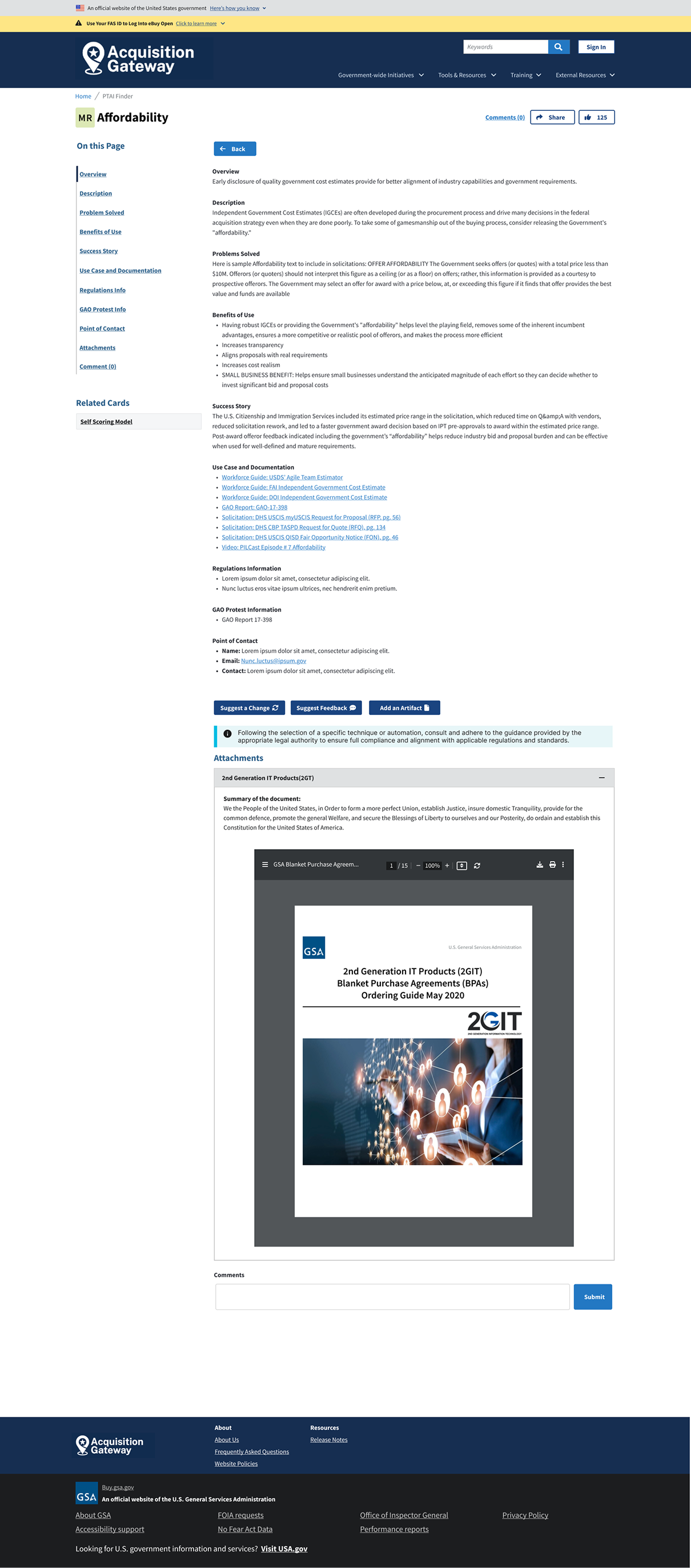
Low Fidelity Designs
Objective: Develop a clear and intuitive visual layout that validates design concepts, collects user feedback, and detects usability issues early in the design process.
User Feedback Report
Objective:
Evaluate and refine designs through usability testing with diverse users. Recruit participants, conduct sessions, analyze feedback, and incorporate insights to develop high-fidelity wireframes that enhance user experience.

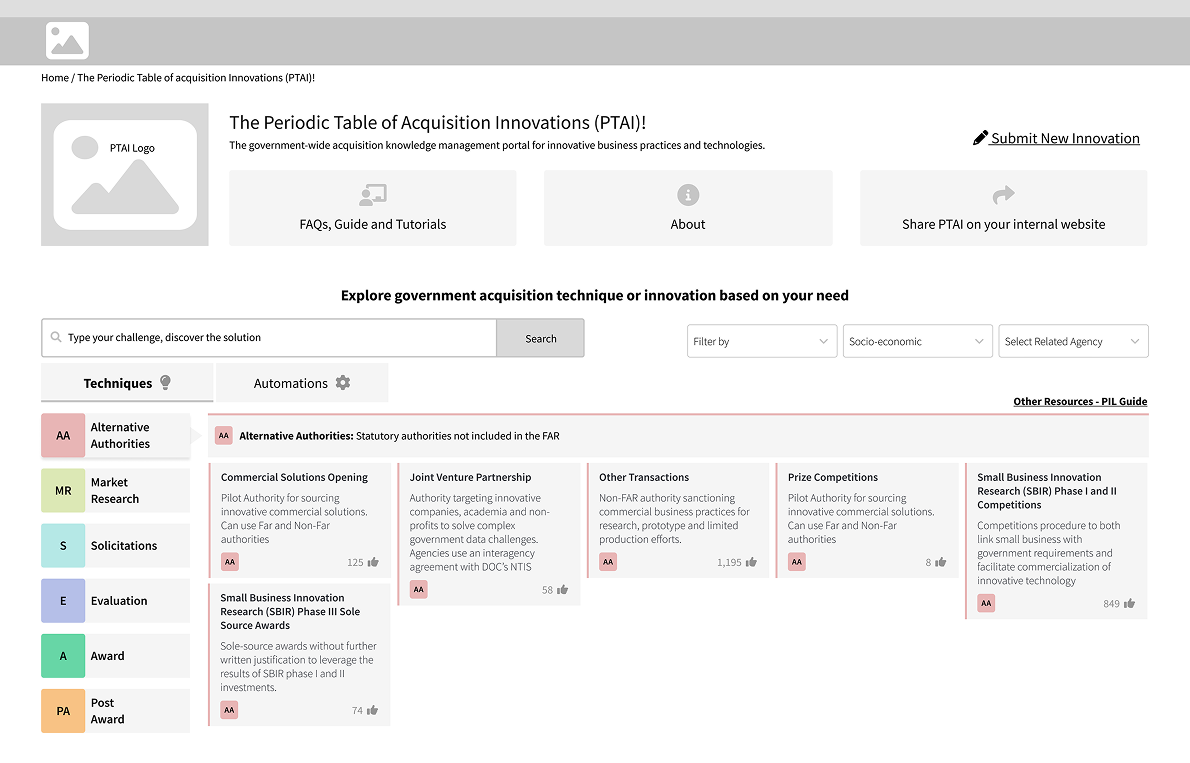
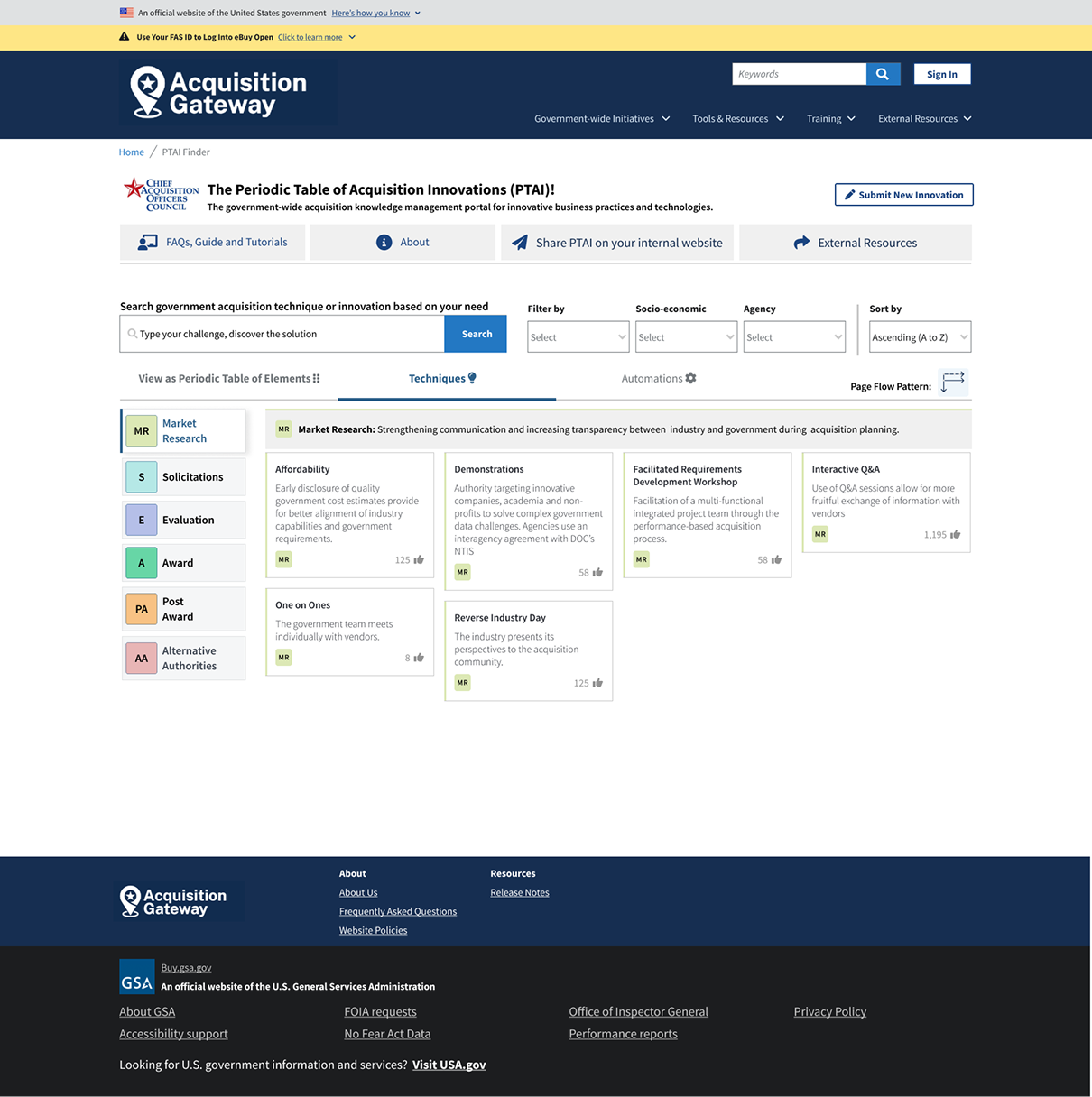
High Fidelity Wireframes
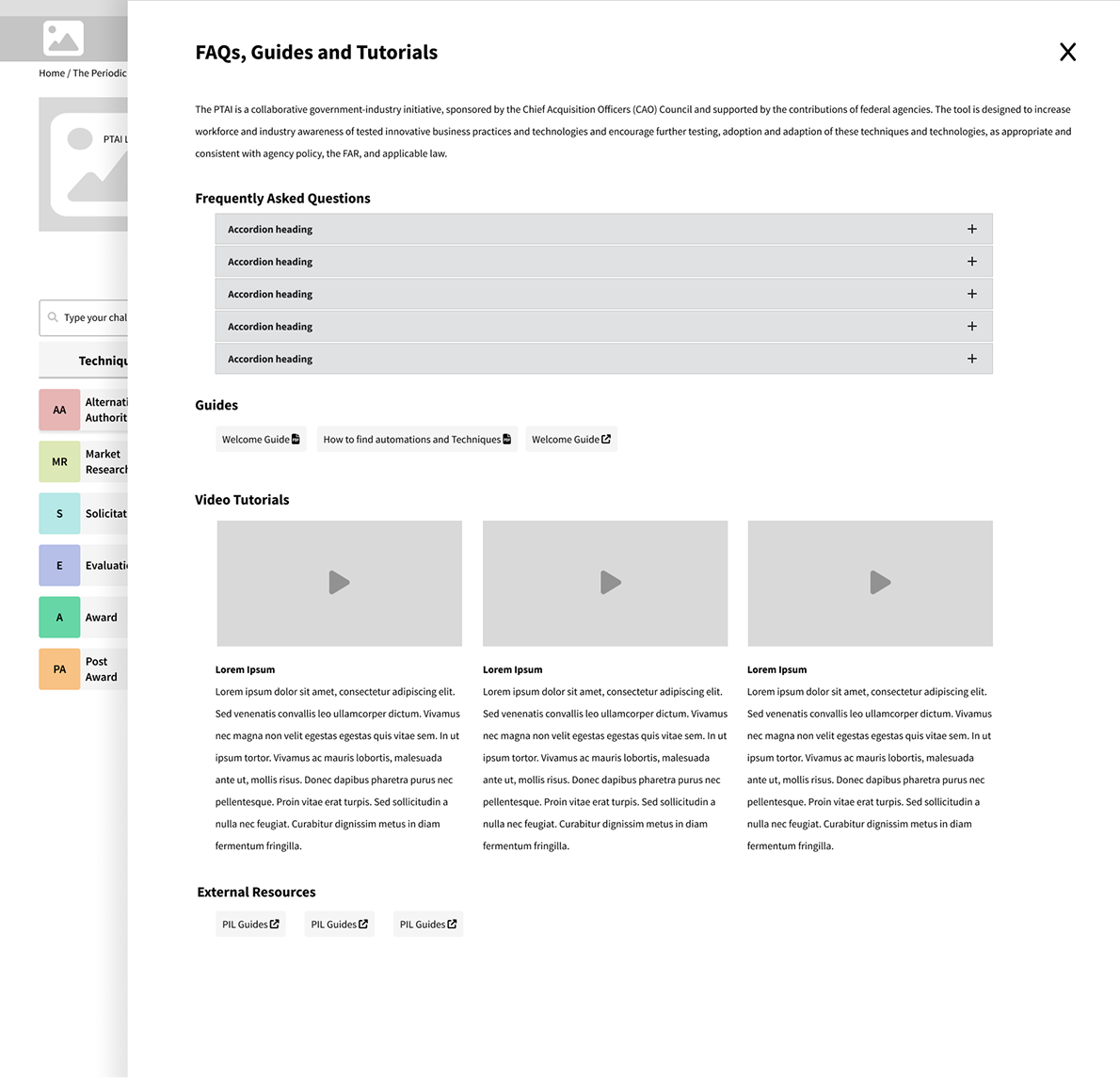
Objective: To develop and refine high-fidelity wireframes based on usability feedback and iterative design improvements for enhanced navigation and user experience.
Benefits, Output and Conclusion
- The new PTAI design will be able to give better User Experience by saving clicks as follows:
- Clicks saved for “Submit New Innovation” - 3
- Clicks saved for feedback and edit card information - 2
- The search capability on documents will be modernized
- The user experience will be improved by organizing templates and refining FAR research processes.
- Analytics reports will be improved by having the Google Analytics team provide more detailed reports and monthly briefing meetings.